
4×4
Everything you need off-road on one screen: tilt, locks, tyre pressure, getting stuck, and the way back.
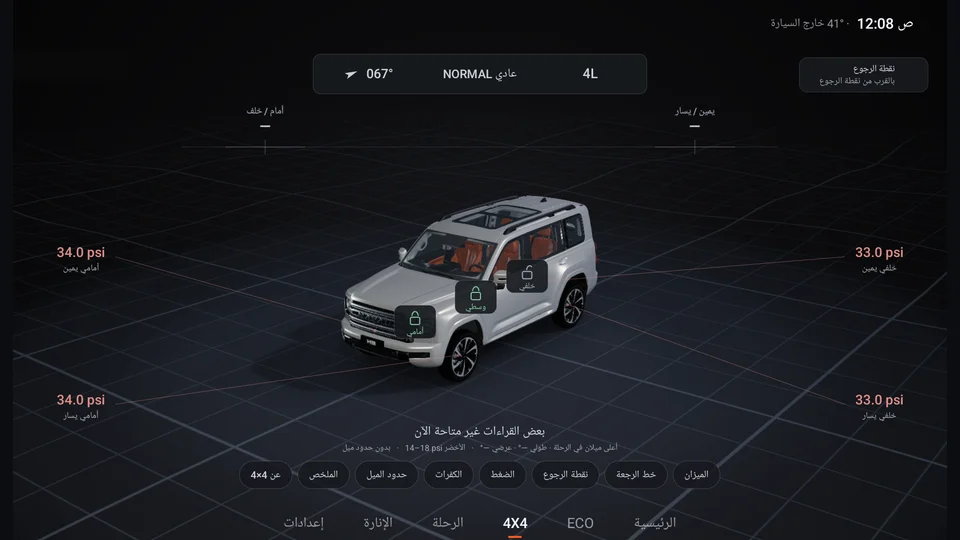
- 1Heading, mode & 4L
- 2Tilt in degrees
- 3Locks
- 4Tyre pressure
- 5Return point
- 6Buttons
01The screen
Your vehicle fills the screen, on ground that moves with it and turns with its heading:
| Where | What you see |
|---|---|
| Top bar | Heading in degrees, drive mode (Normal, Sand, Mud, Snow…) and 4L |
| Under the bar | Tilt front/rear and left/right in degrees |
| On the vehicle | Front, centre and rear locks (green = locked) |
| Four corners | Pressure of each tyre, with OK or "Stuck" above it |
| Top right | Return point: distance and direction to it |
| Bottom | Status line, and buttons: Level · Trail back · Return point · Pressures · Tyres · Tilt limits · Summary · About |
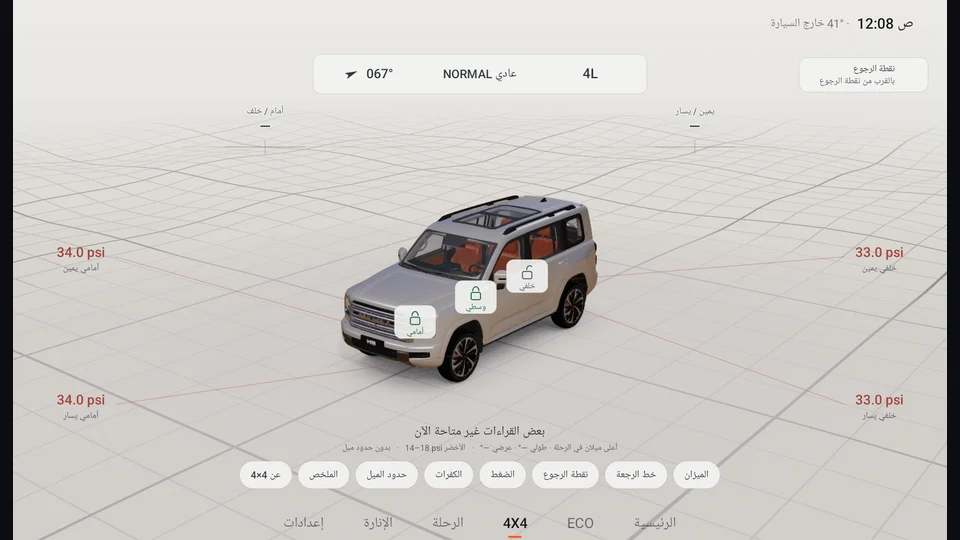
The buttons show while you are stopped; while moving the screen stays calm. Day and night have their own look.
02Tilt
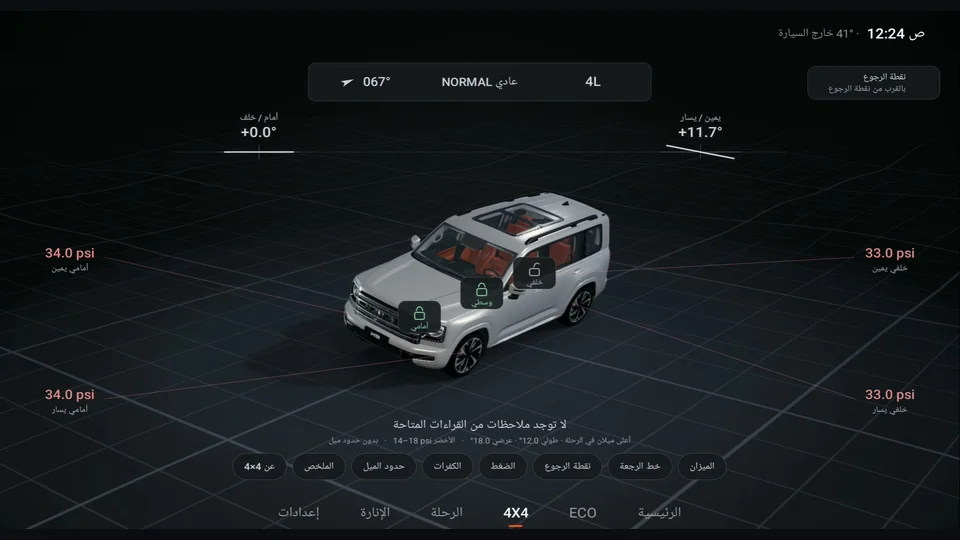
The model tilts with your vehicle's own front and side readings, and the numbers are in degrees. Positive means that end is higher. The highest tilt of the trip is kept, and you can reset it from "Summary".
- Tilt limits (optional): set a yellow and a red angle for each axis. Off until you turn them on.
- Visual tilt gain: you can magnify the model's tilt up to 1.5× so it is easier to see. The numbers stay real.
03Locks
The front and rear locks show on the model from the vehicle's readings. The centre lock shows "Centre · Auto" because it locks with Sand and Mud modes. If the vehicle reports a lock problem, you get an alert.
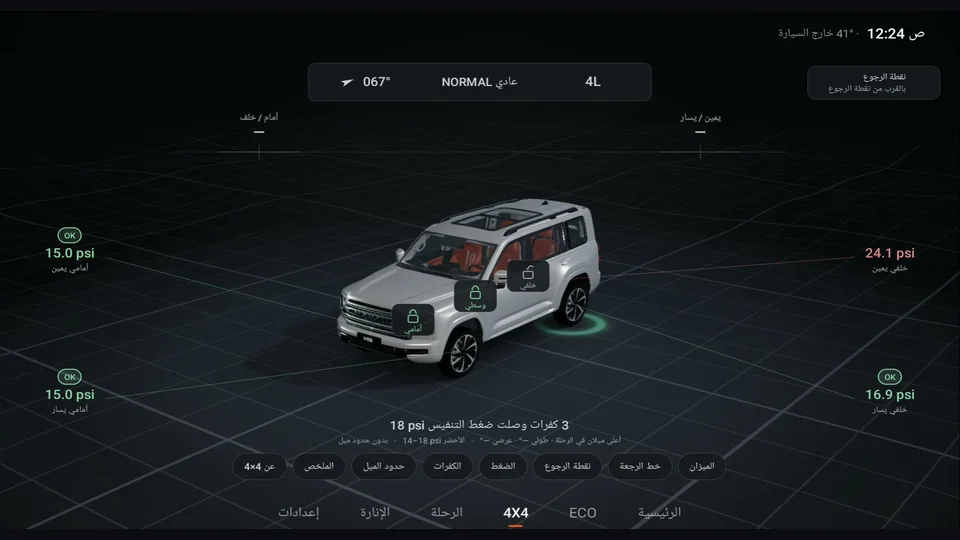
04Deflation pressure
From "Pressures", set the deflation pressure you want (18 psi by default, from 8 to 35). While you let air out:
- As soon as a tyre reaches the pressure, its name turns green with OK above it.
- Green rings pulse around that tyre on the model, with a soft tone.
- If you have a connected ambient light, it flashes green and returns to your colour.
- When all four are done: "All tyres reached 18 psi ✓".
The green band is 4 psi below the target up to the target (for example 14–18).
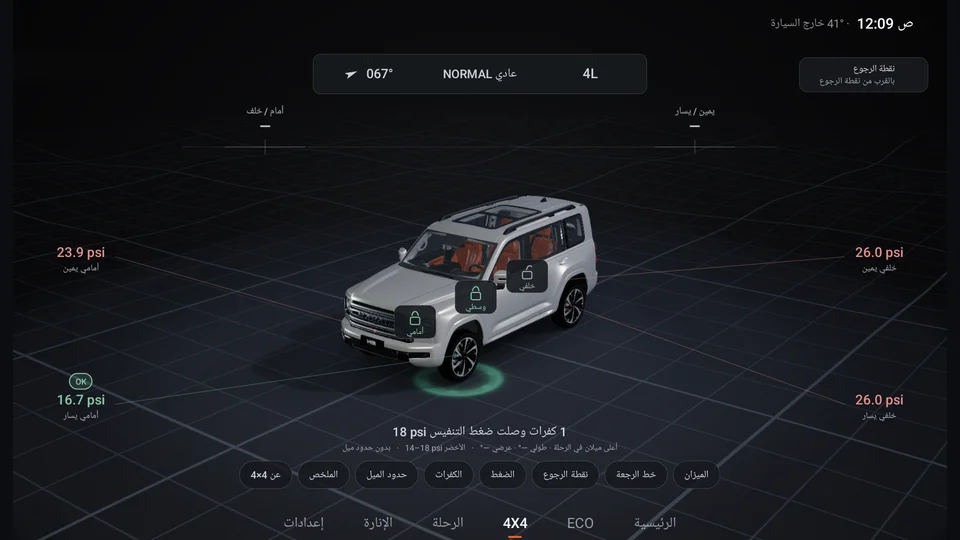
- 1OK = reached deflation pressure
- 2Green ring
05Refill pressure
From the same button, set the refill pressure (33 psi by default, from 20 to 50, and higher than the deflation pressure). After the trip, while you pump the tyres back up, a tone plays when each tyre reaches it, even if you are on another screen.
The same screen has the front and rear road pressure from the door sticker, sound and light flash on or off, and a "Try the cue" button.
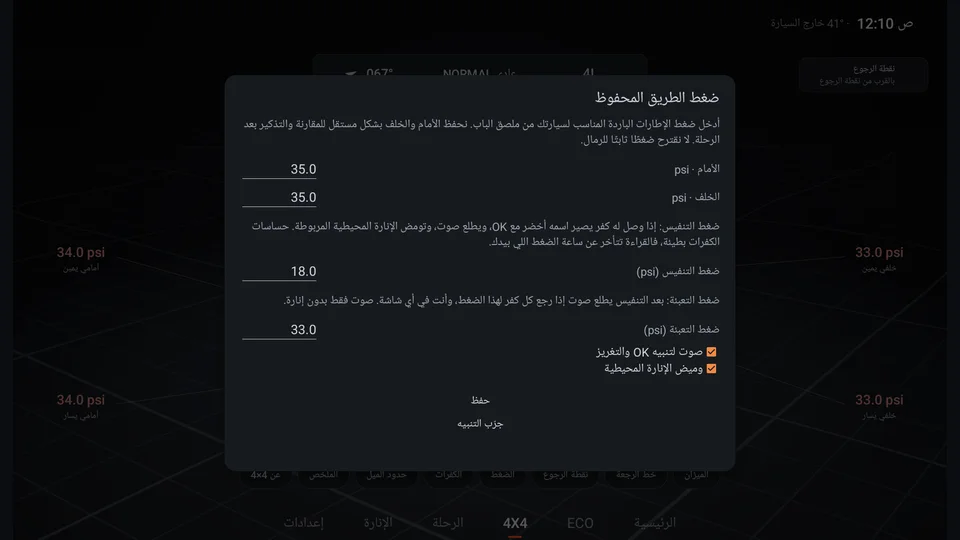
- 1Deflation pressure
- 2Refill pressure
- 3Sound & flash
06Stuck alert
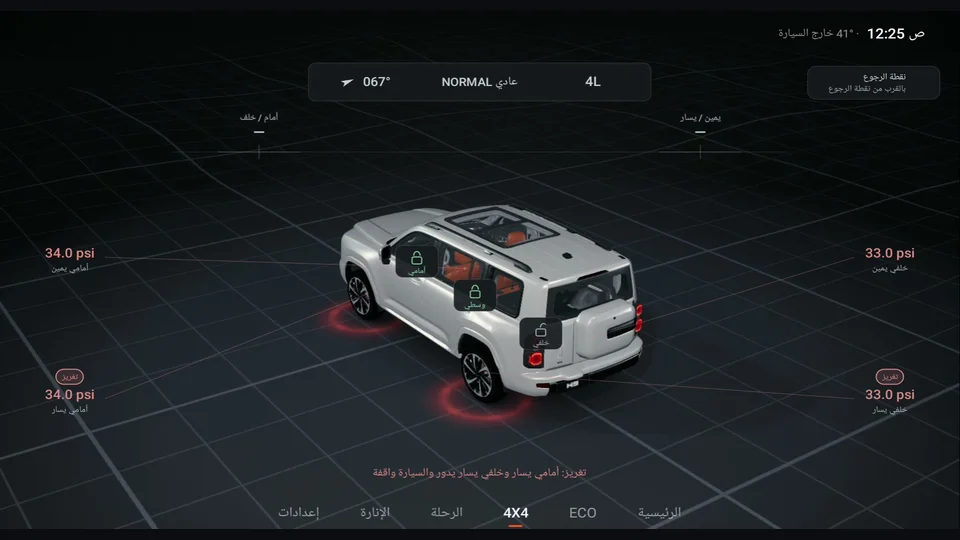
Each tyre has a ring that turns with it: green while rolling normally, amber if it starts to spin. If tyres spin while the vehicle stands for two seconds:
- The ring turns red, and "Stuck" appears above the tyre.
- A line appears: "Stuck: front left and rear left spinning while the vehicle stands".
- An alert tone, and a red flash on the light if connected.
The alert repeats every 6 seconds, up to 3 times. It works in D, R and M, off-road only. You can turn the sound or flash off in "Pressures".
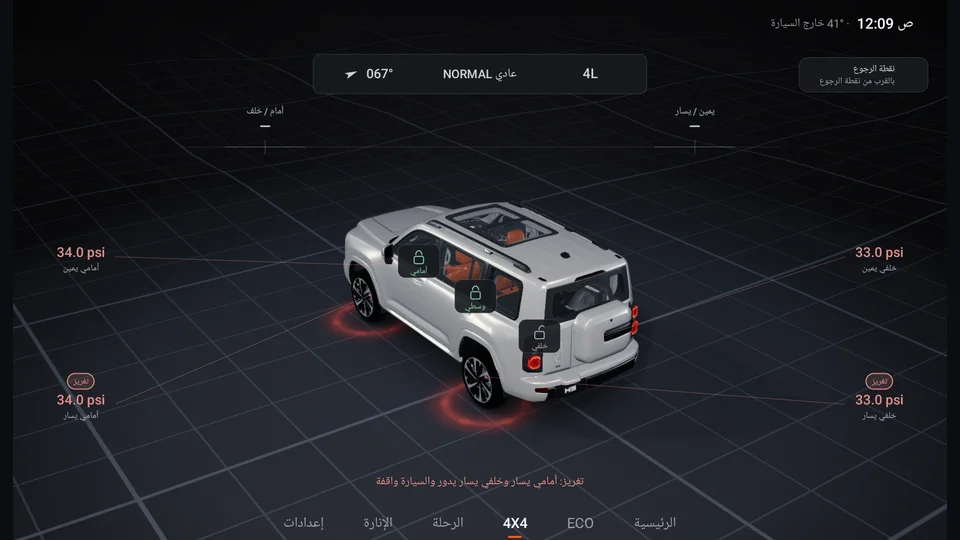
- 1"Stuck" above the tyre
- 2Red rings
- 3Alert line
07Trail back
VisoDrive keeps the line you drove (roughly the last 50 km), in your vehicle only. When you want to go back:
- Tap "Trail back", then "Start trail back".
- Dots appear on the ground ahead of the vehicle, with the next one pulsing. Follow them.
- If you move more than 25 m away, "Off the trail" appears with the distance and an arrow back.
- When you reach the trail entry: "Back at the trail entry", with a chime.
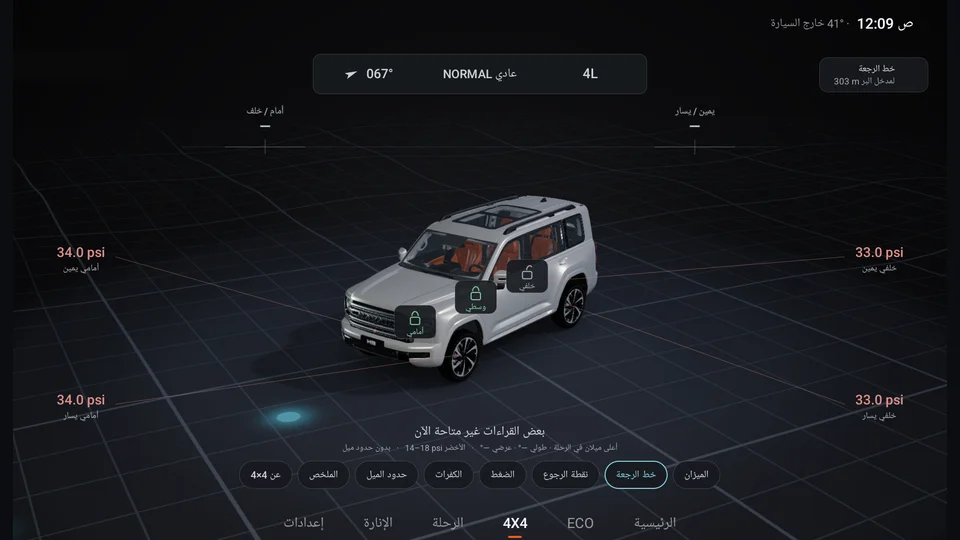
- 1Dots ahead of you
- 2Trail back button
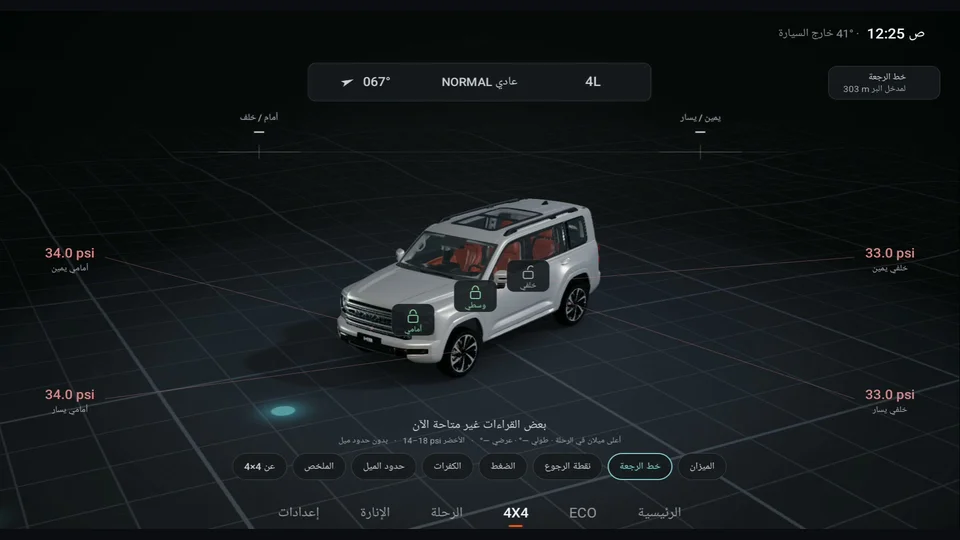
08Return point
From "Return point", save your location (such as your camp). It then shows the distance and direction to it at the top of the screen. This is a straight direction, not a route that is guaranteed passable.
09Level
Tap "Level" while stopped. It stays open below 10 km/h. The bubble moves to the higher side: green at 1° or less, amber up to 3°. Useful for parking level for a camp, sleeping or a tent.
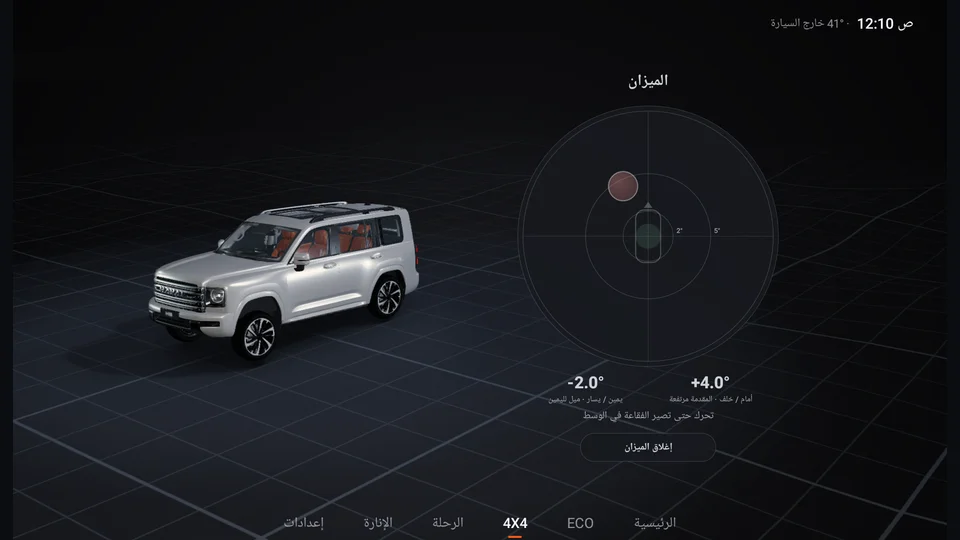
- 1Bubble moves to the high side
- 2Tilt in degrees
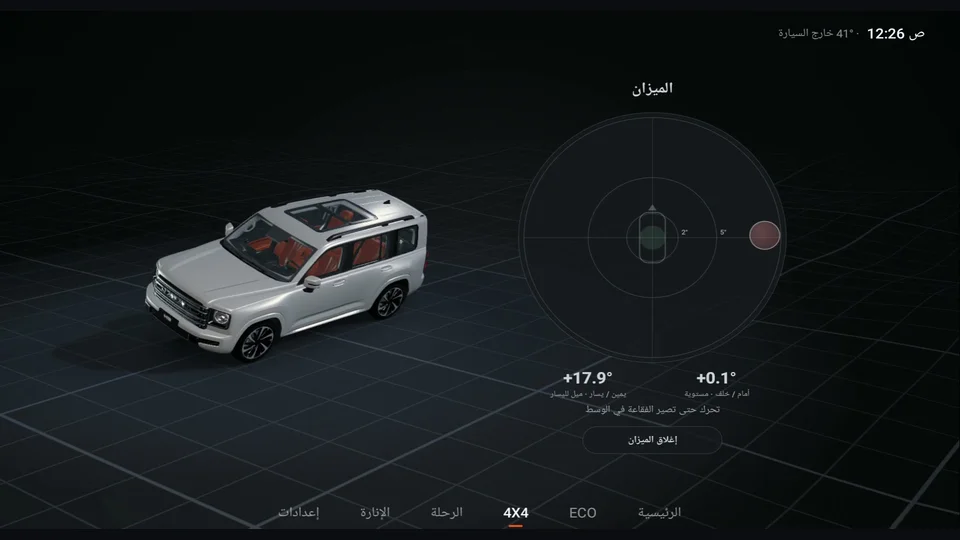
10Trail session summary
A session starts by itself with Sand or Mud mode, 4L, or a differential lock. In "Summary": duration and distance, highest engine temperature, highest tilt, and for each tyre the first, last and lowest pressure and the highest temperature. When the session ends, it reminds you to bring tyre pressure back up for the road.