
VisoDrive / USER GUIDE
VisoDrive guide
Everything you need to get the most out of VisoDrive in your HAVAL H9 2025, from installation to the dunes.
Install and activate, step by step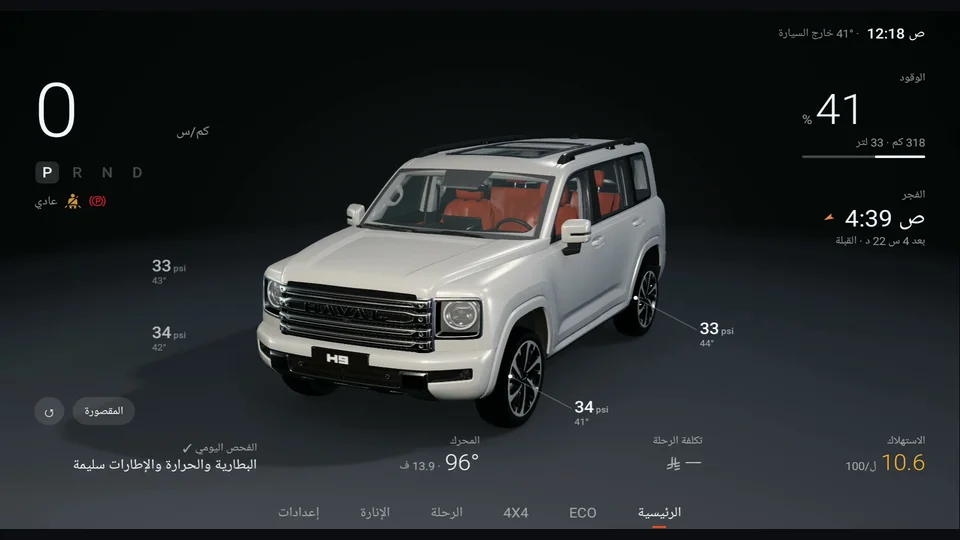
VisoDrive reads your vehicle's data and shows it. It never sends a command to the vehicle and does not change any of its settings.
01
Getting started
Install and activate, step by step
02
Home screen
Your vehicle, live on the screen
03
ECO
Smooth driving earns points
04
Trips & fuel
Your real consumption and the cost of every drive
05
4×4
Everything you need off-road
06
Prayer & Qibla
Qibla from your vehicle's own compass
07
Cabin
See where your air is going
08
Lighting
Cabin ambient light from the same screen
09
Vehicle health
Temperature, battery and maintenance
10
Settings
Language, vehicle colour and updates
11
FAQ
Quick answers