
Prayer & Qibla
Prayer times for your location, and the Qibla from your vehicle's own compass, even while parked.
01Prayer times
- Umm al-Qura calendar, calculated from your location without the internet.
- The next prayer and the time left are always on the home screen.
- You can turn on a reminder 20 minutes before prayer in Settings › Driving & alerts › Reminders.
02Qibla
Tap the prayer on the home screen:
- Your vehicle appears from above with its nose pointing up.
- Next to it, a compass with the Qibla arrow, and below it a prayer rug that turns to face the Qibla.
- It tells you whether the Qibla is ahead of the vehicle, behind it or to one side, and its angle from north.
- Today's prayer times are shown with it.
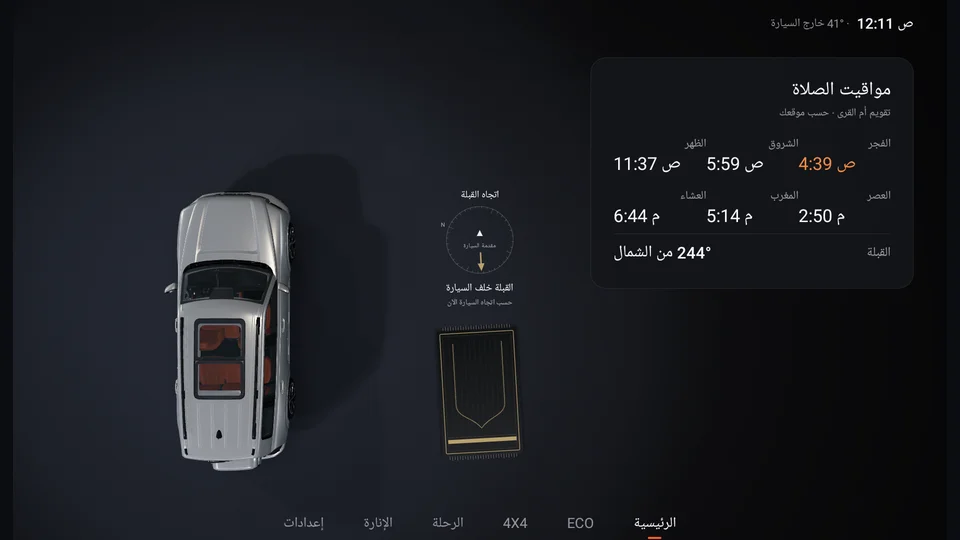
- 1Vehicle nose up
- 2Qibla arrow
- 3Rug faces the Qibla
- 4Today's times
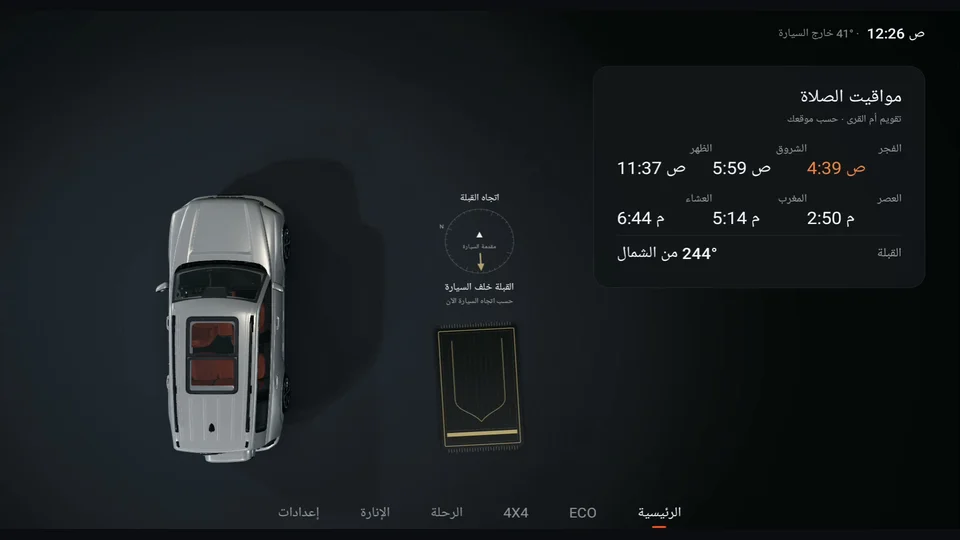
03Where does the direction come from?
- Vehicle compass: the same one you see in the original 4×4 screen, and it works while parked.
- GPS heading: a backup that works while you drive.
- If neither is available, "Waiting for vehicle compass or GPS heading" appears and the arrow is hidden rather than showing a wrong direction. Wait a little after starting the vehicle, or move it a few metres.
Media coming soon
qibla-waiting.png